Bridge Markets × SyntX
Start on Bridge Markets
in 5 simple steps
Open your account, deposit, join VIP and let the SyntX Follower and SpikeX do the heavy lifting.
- 5 steps
- About 15 minutes
- $100 to start
Open your Bridge account
Pick a live account or the $35 Prop Challenge. Use the email you'll also use for SyntX VIP.
Two ways to start with Bridge Markets
Open a broker account and take the Synthetic Prop Challenge.
Evaluation fee, not a deposit
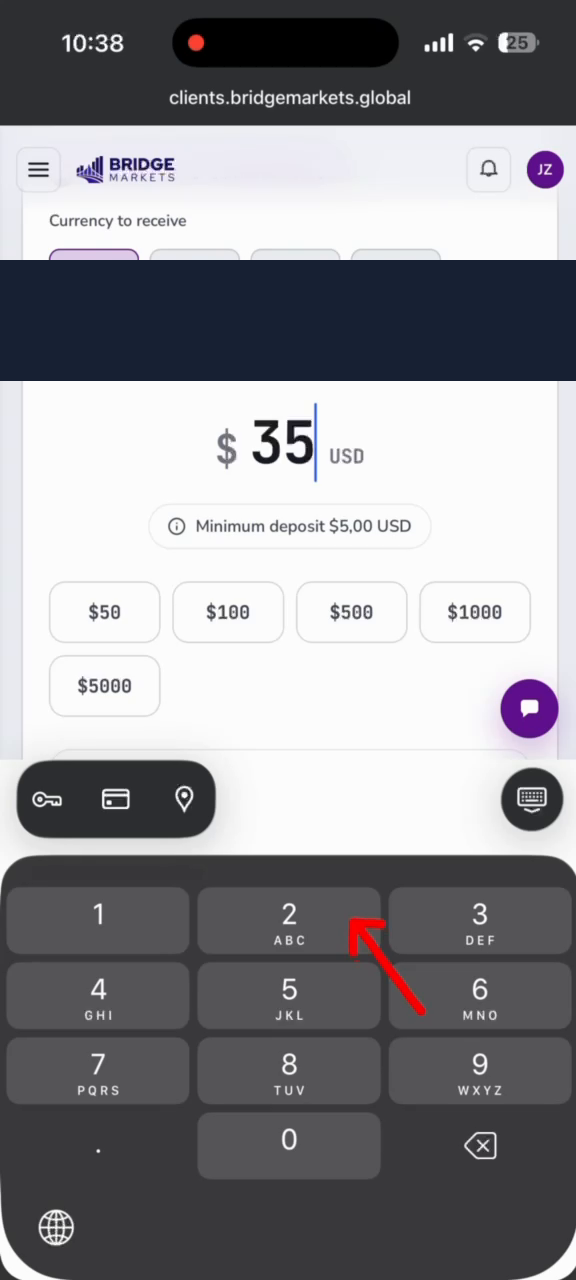
Deposit by crypto or card
Follow the screens one at a time. Crypto is recommended right now.
This walkthrough uses USDT on TRON (TRC20). Create your own payment request in Bridge before sending anything.
Step 1 of 7
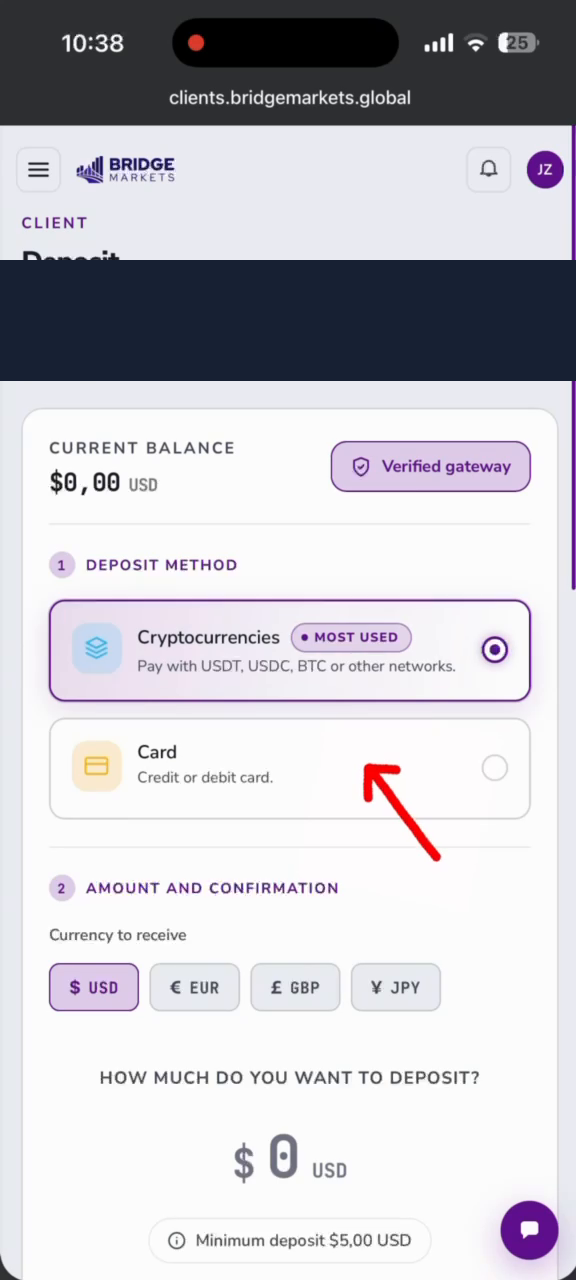
Choose Cryptocurrencies
In your Bridge client area, open Financial → Deposit and select Cryptocurrencies.
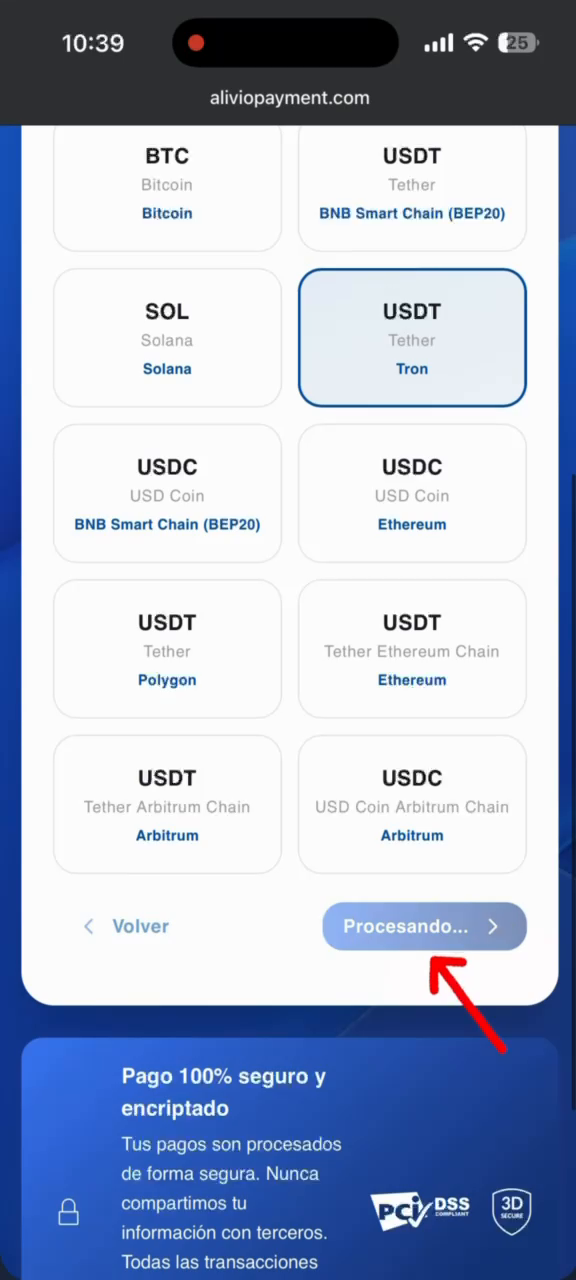
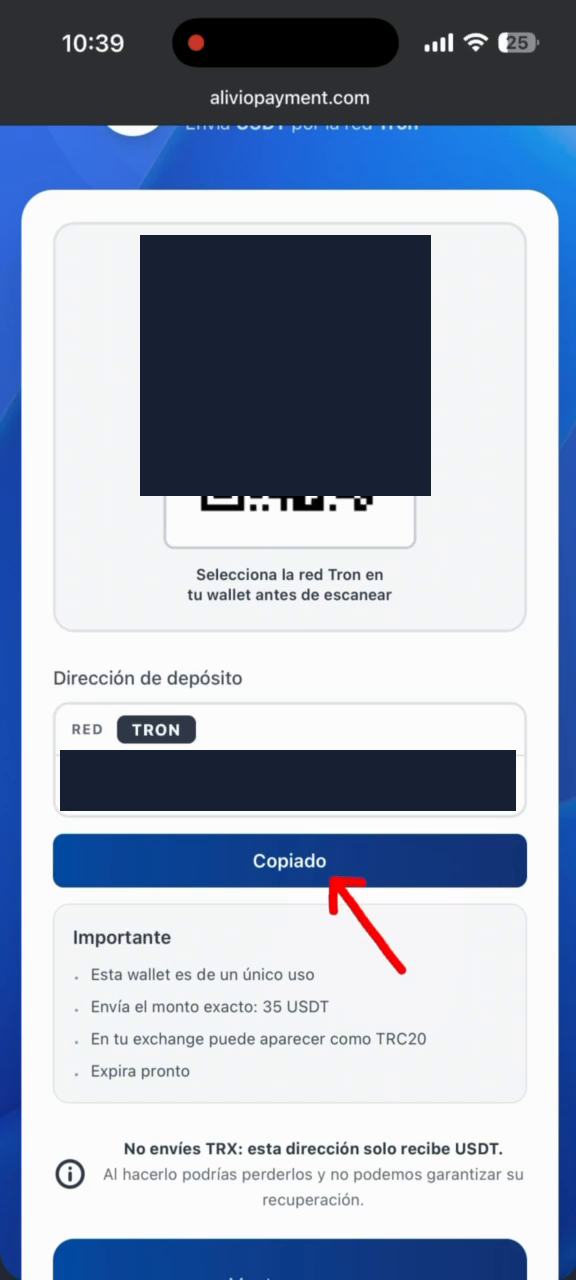
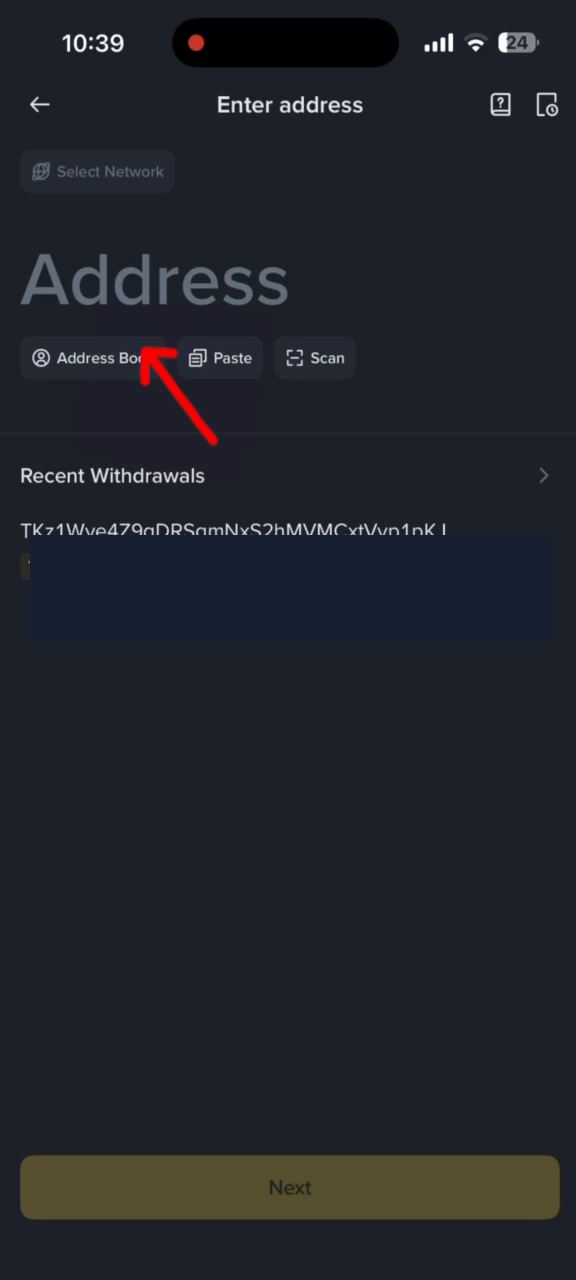
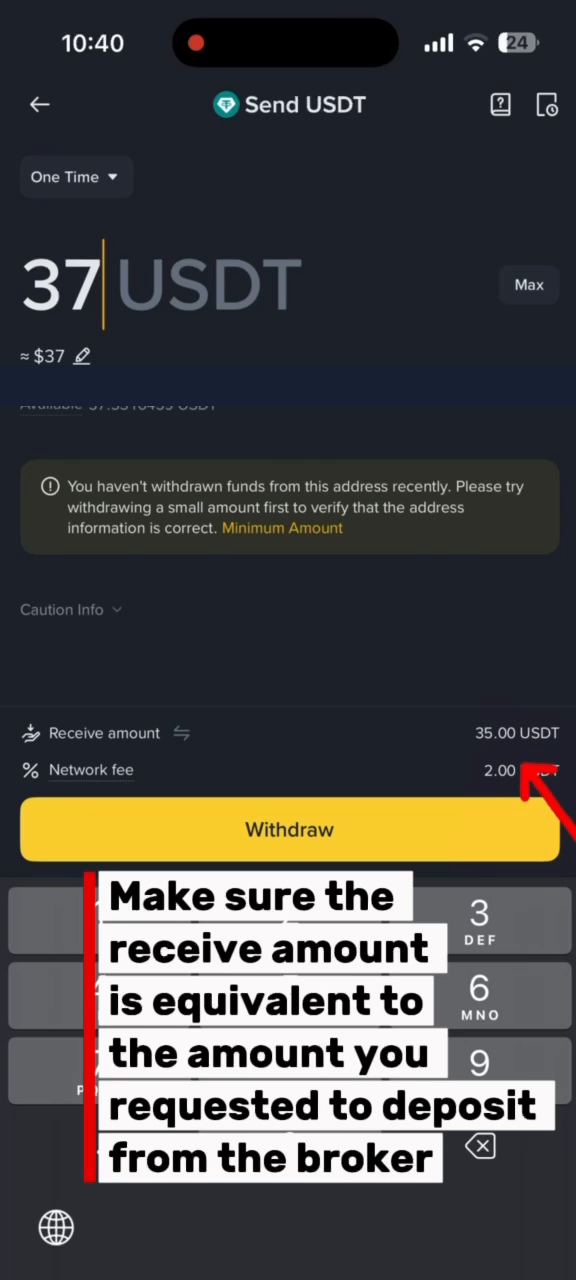
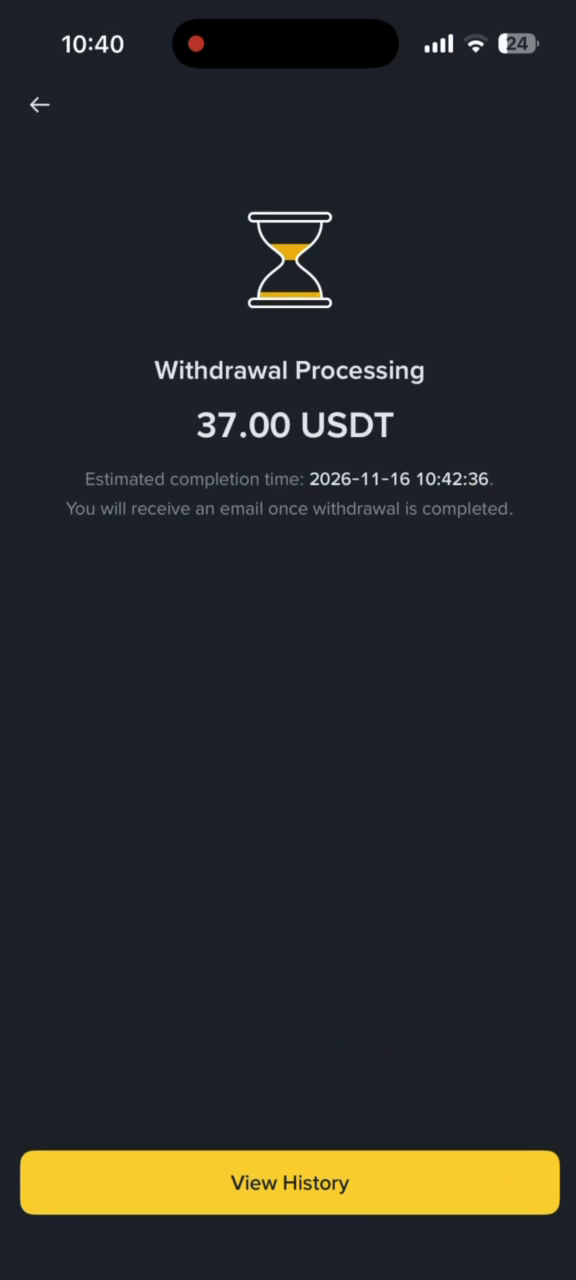
Translate the payment screens
| On the screen | In English |
|---|---|
| Proceso de pago | Payment process |
| Tipo de moneda | Currency type |
| Activos virtuales | Virtual assets |
| Selecciona tu criptomoneda | Select your cryptocurrency |
| Continuar al pago | Continue to payment |
| Dirección de depósito | Deposit address |
| Copiar | Copy |
| Volver | Back |
Get your VIP access
Three quick steps with the same email as your Bridge account.
1. Create your SyntX account
Sign up with the same email as your Bridge account.
2. Verify your Bridge email
Enter it on the verify page - approval adds you to Bridge VIP.
3. Join Bridge VIP
Open your VIP area and tap Join Bridge VIP on Telegram.
Markets we trade & lot sizes
Start with the minimum lot to learn how each market moves before you size up.
Bull
0.10–100 lotsBuy only
Bull400 · Bull500 · Bull777 · Bull900 · Bull1000
Bear
0.10–100 lotsSell only
Bear400 · Bear500 · Bear777 · Bear900 · Bear1000
FOMOX
0.01–10 lotsBoth directions
FomoX333 · FomoX555
VorteX
0.01–20 lotsBoth directions
VorteX20 · VorteX40 · VorteX80
How Follow and SpikeX work
Tap Follow in Telegram and your own MT5 opens the trade.
Signal posted
A trade card appears in Bridge VIP on Telegram.
Tap Follow
Tap the Follow button while the trade is open.
Your MT5 opens it
The SyntX Follower in your MT5 places the trade at your chosen lot size.
See the result
Check your Follow history in your VIP area.
One VIP key
Download the Follower from your VIP area, attach it to one chart, paste your VIP key and allow WebRequest to syntxfx.com.
SpikeX indicator
Download SpikeX for Bridge Markets from your VIP area. It unlocks while the Follower is running in the same MT5.
Never share your MT5 password with anyone - SyntX will never ask for it.
Quick answers
- Card payment not working?
- Some members are affected by temporary card maintenance. Use the Crypto steps above and check the coin, network, address and exact receive amount before sending. See crypto deposit steps
- Do I need to share my MT5 password?
- Never. The Follower runs inside your own MT5 using your VIP key. SyntX never asks for your password.
- Which email must I use?
- The same email you used to open your Bridge Markets account - that's how we approve your VIP access.
- What is the smallest lot I can trade?
- 0.1 on Bull and Bear, and 0.01 on FOMOX and VorteX.
- Does it work on a Bridge Prop Challenge account?
- Start with the $35 Synthetic Prop Challenge if you prefer not to deposit your own money; follow the challenge rules from Bridge.
Trading synthetic indices carries a high level of risk and may not suit everyone. Only trade money you can afford to lose. SyntX is independent of Bridge Markets.